A sequence of RAW frames
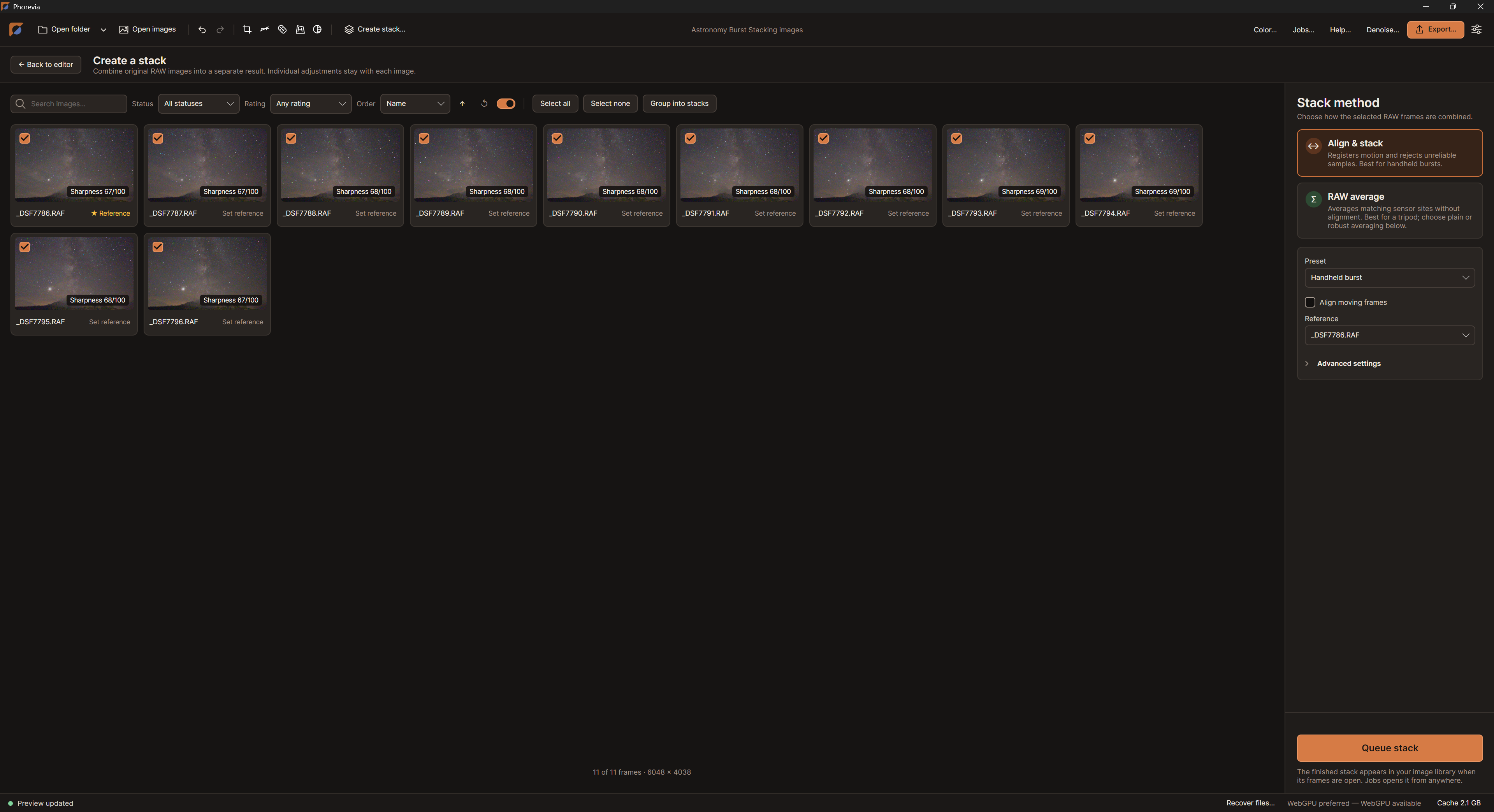
Start with compatible exposures of the same night scene. This example combines eleven Fujifilm X-T20 photographs.

Let the night reveal more.
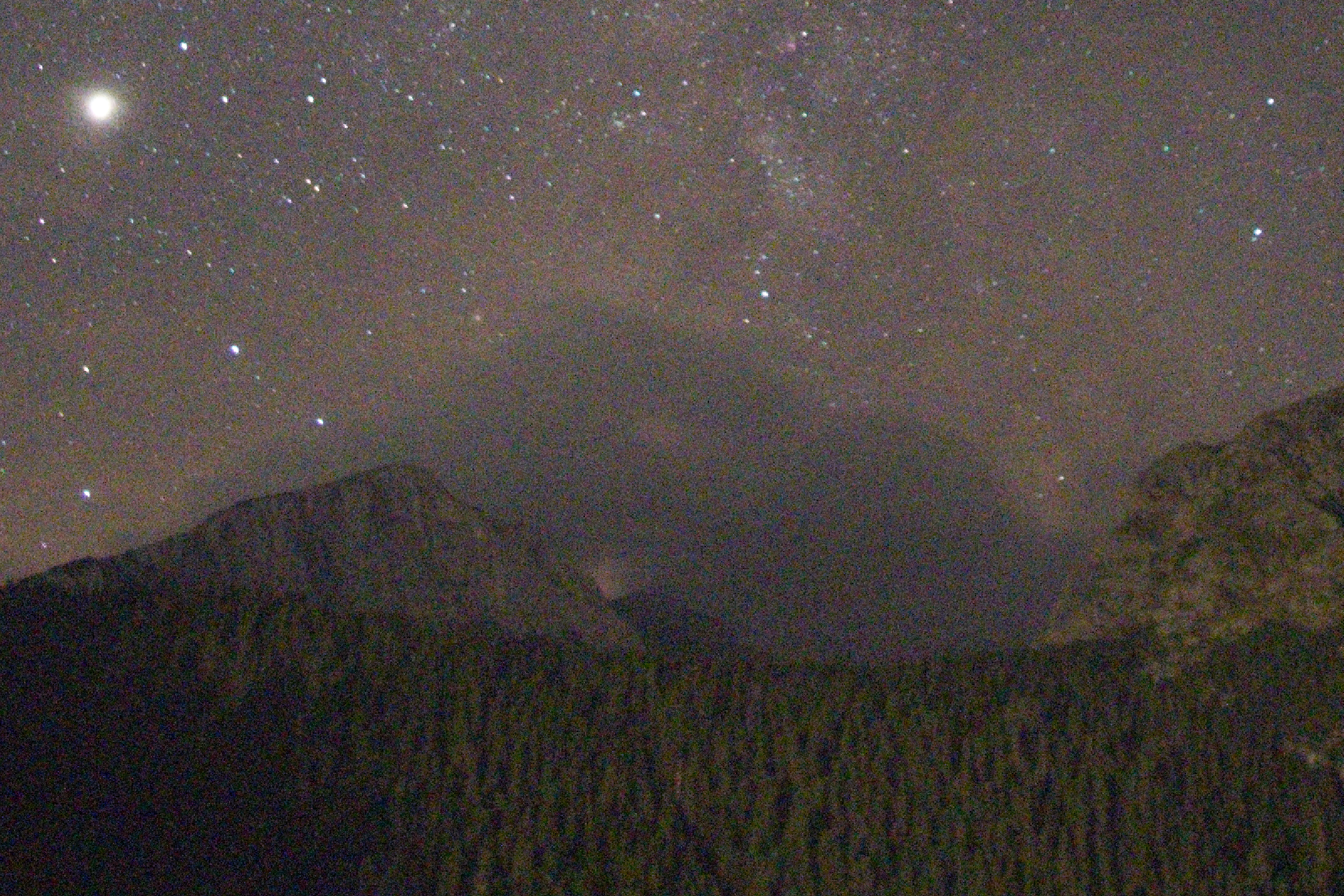
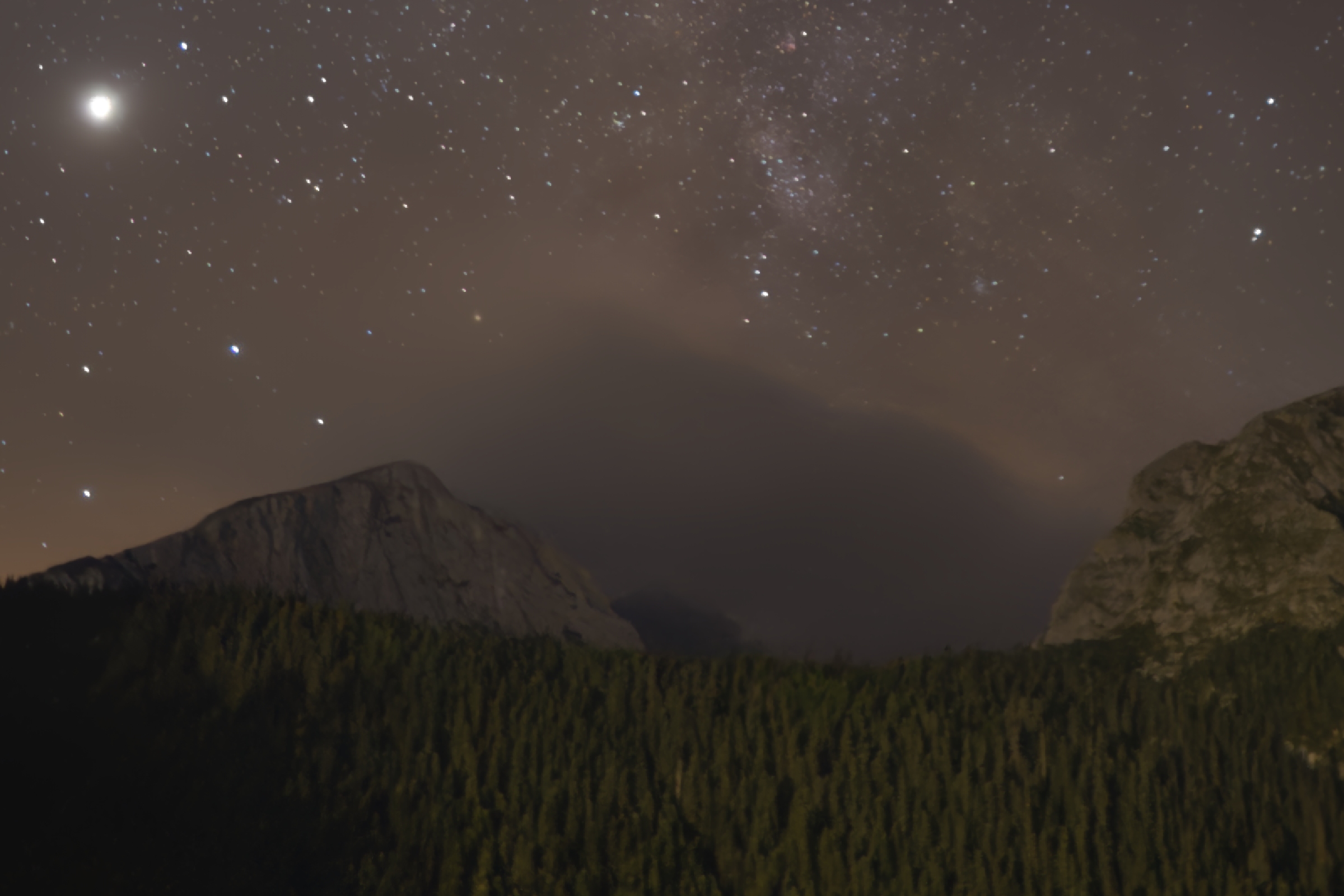
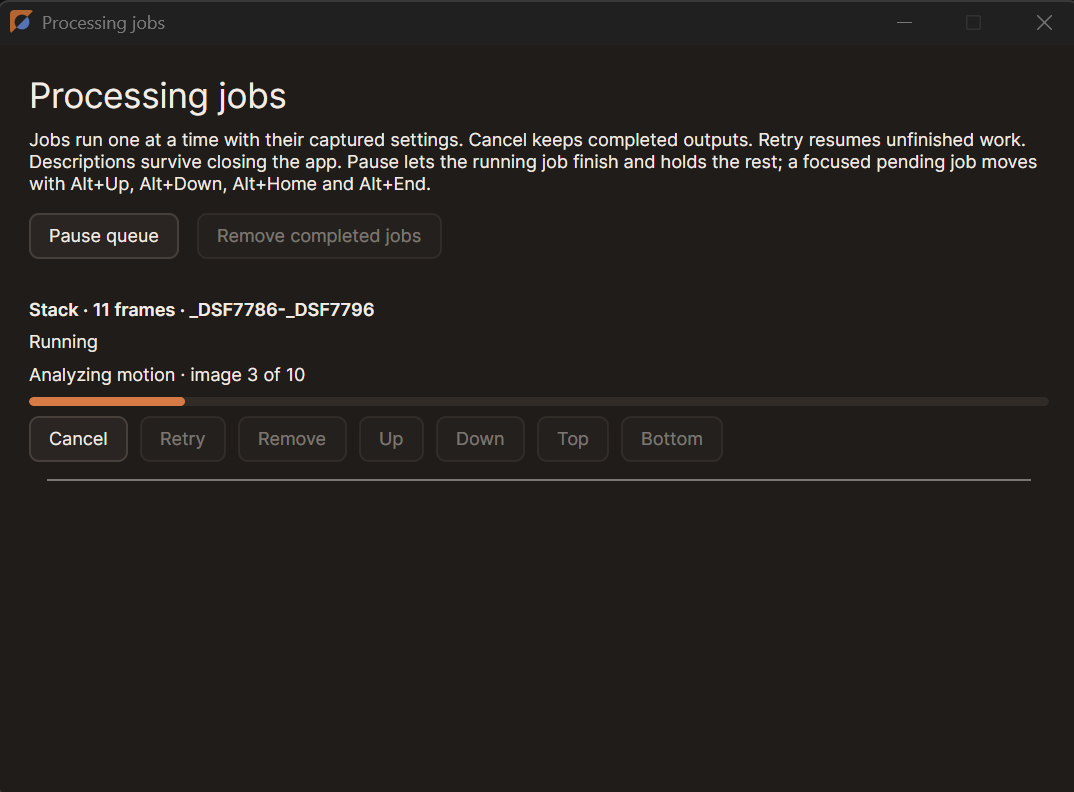
Capture the stars and the landscape together. Select your night photographs and click Queue stack: Phorevia handles alignment and stacking without separate sky and ground selections. Follow this eleven-frame sequence from a single exposure to the stack, then see what AI denoise adds.
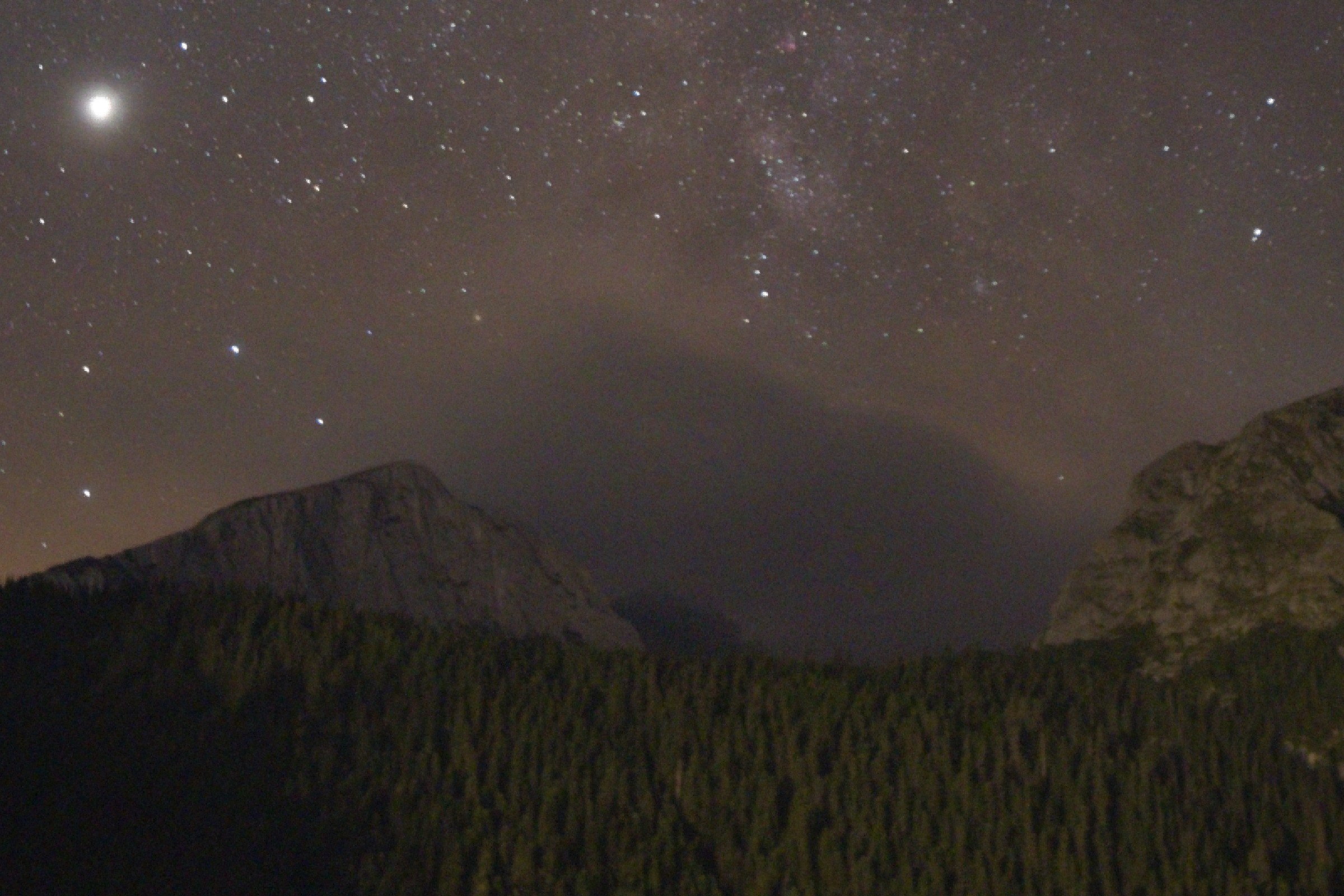
Before
After
After + AI denoise
The three stages are extracted from the supplied desktop captures. The original stack sidecar lists eleven source RAW files. Inspect stars, sky texture and the mountain foreground together.
Open before image · Open after image · Open after + AI denoise image
All three images use the same 2400 × 1600 screenshot-pixel rectangle, starting at (600, 340), from the 100% captures. No resampling is applied to these full-size comparison assets. Display size adapts to your screen.
A closer look
Start with compatible exposures of the same night scene. This example combines eleven Fujifilm X-T20 photographs.
There is no need to draw a sky mask or select the ground separately. Choose the images and click Queue stack. The algorithm handles alignment and stacking across the scene, so you can concentrate on the finished photograph.
Apply AI denoise to the supported stack result. The three-stage comparison keeps its contribution separate from the benefit of stacking.
Click Group into stacks to find likely bursts and exposure brackets. Review a group and click Queue stack; the next group is selected automatically. Queue multiple burst or HDR merge jobs in one pass, then inspect the results as they finish.
Inside Phorevia
The actual desktop workspace, with the photograph and tools used for this example.
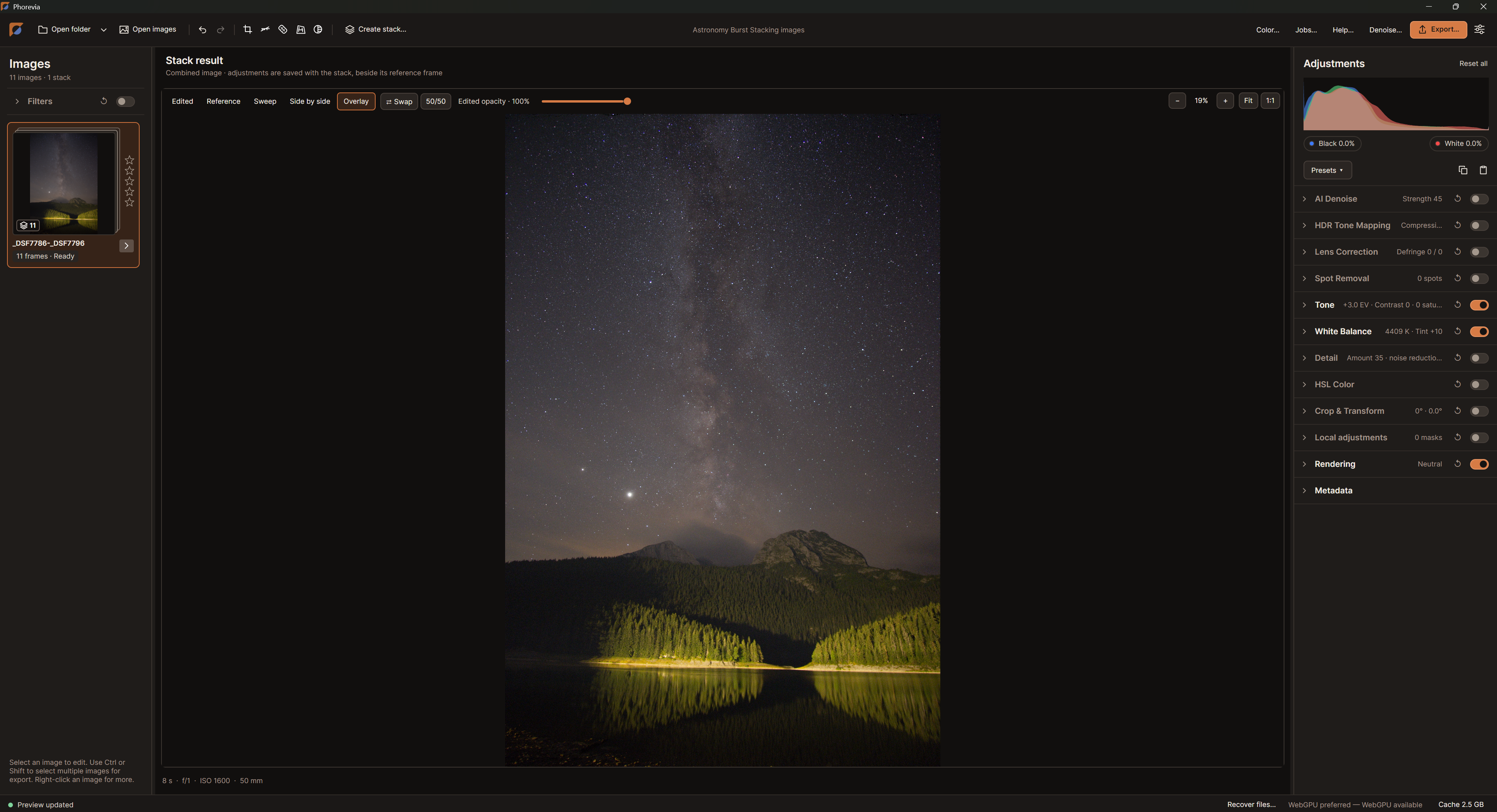
Choose compatible RAW frames in Create stack, or use Group into stacks to prepare multiple night sequences.
Click Queue stack without making sky or ground selections. Queue the next group while processing continues.
Open results as they finish. Inspect the single frame, stack and optional AI denoise pass, then refine tone and colour.
Keep exploring
Make it your own
Explore every feature for 14 days. No card needed.